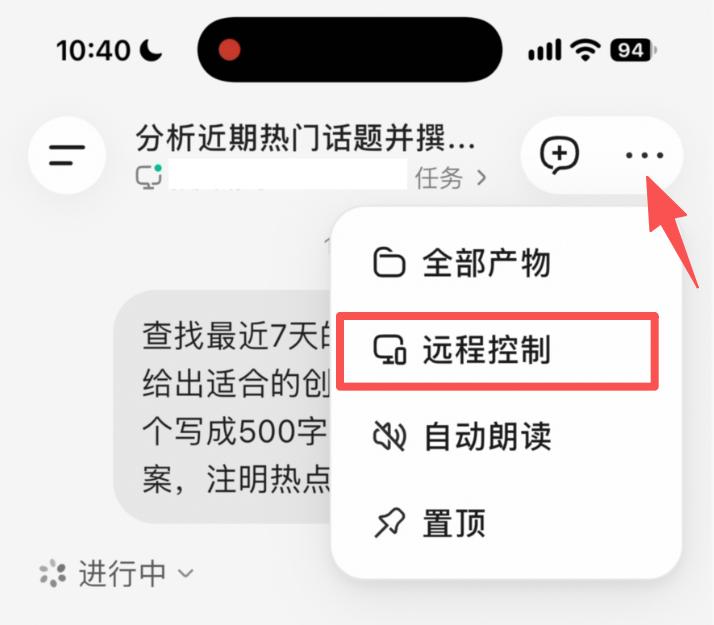
WorkBuddy Launches Remote Control: View and Control Your PC Screen from Your Phone
Tencent WorkBuddy launched a remote control feature on October 28, allowing users to view and operate their computer desktop in real time from their mobile devices. This requires updating the mobile app to v2.7.0 and the macOS desktop client to v5.9.3 or later. According to official statements, only one authenticated mobile phone is permitted to connect to a single computer. The connection is encrypted, input content is not recorded, and remote operations do not consume Tokens.
Tencent WorkBuddy launched a "Remote Control" feature on October 28. With a single tap on the mobile app, users can connect to their computer, view the desktop screen in real time, and operate it directly. The screen appears as a floating window at the top of the app, allowing for timely corrections if tasks go off track.
Users need to upgrade their mobile app to v2.7.0 and the macOS desktop client to v5.9.3 or later. According to official information, only one authenticated mobile phone is allowed to connect to a single computer at any given time. The video stream is transmitted over an encrypted channel, input content is not recorded, and remote operations do not consume Tokens.
Tencent WorkBuddy
https://mp.weixin.qq.com/s/P7187dVdyDb5eyyzNeQoHQ